CS30 – Clock card is not being pulled into the machine
Created by Dave McMaster, Modified on Wed, 23 Sep at 1:26 PM by Dave McMaster
If your CS30 does not pull in a clock card when it is inserted, the card sensor may have moved slightly out of position. This can sometimes happen after a card jam or if the machine has been knocked during delivery.
Follow the steps below to push the sensor back into position.
1. Remove the lid
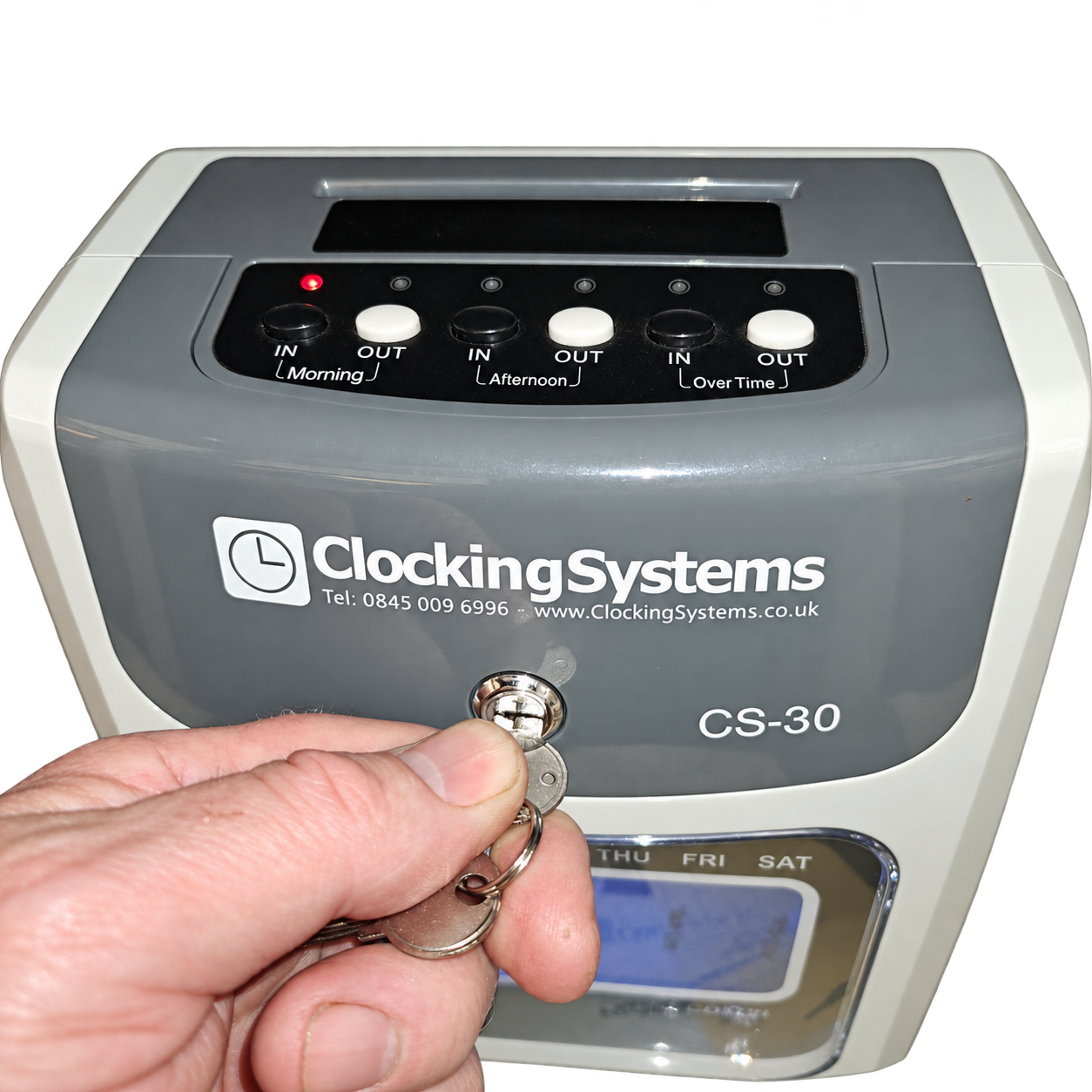
Use the key supplied with the machine to unlock and remove the lid.
2. Locate the card sensor
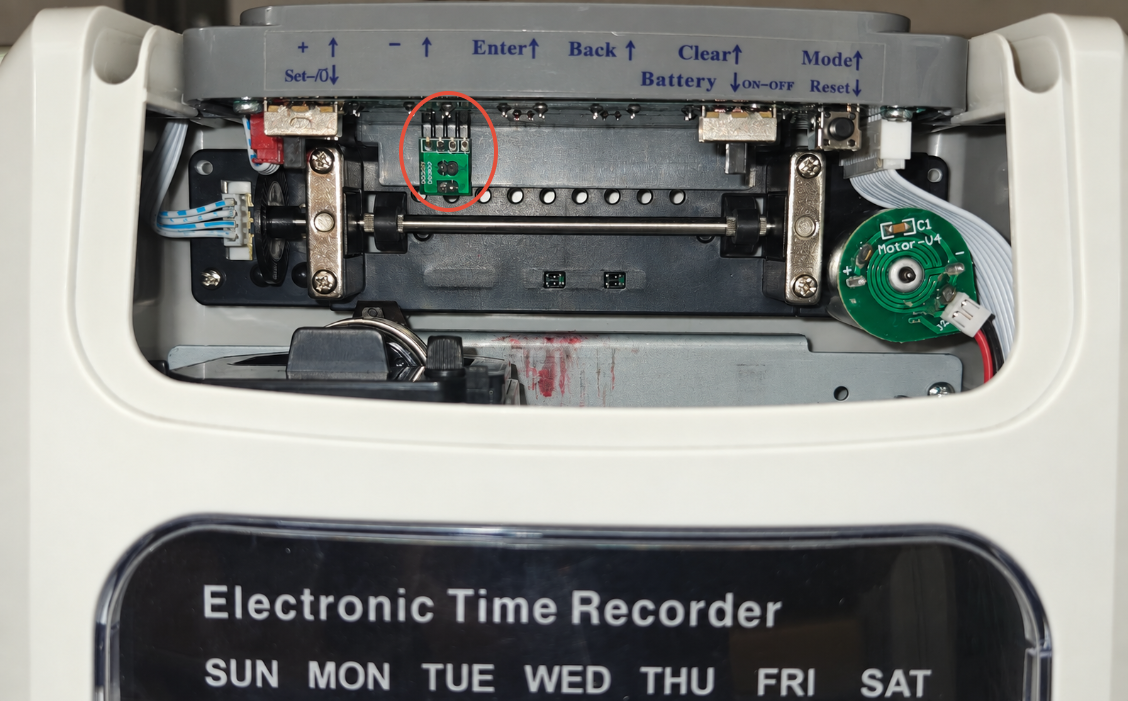
Looking into the machine from the front, locate the small green rectangular circuit board just underneath the operation panel, towards the back of the machine.
It is slightly to the left of centre, as shown below.
3. Press the sensor back into position
Using your fingertip, press the sensor firmly towards the back of the machine so that it presses into the plastic back plate, as shown below.
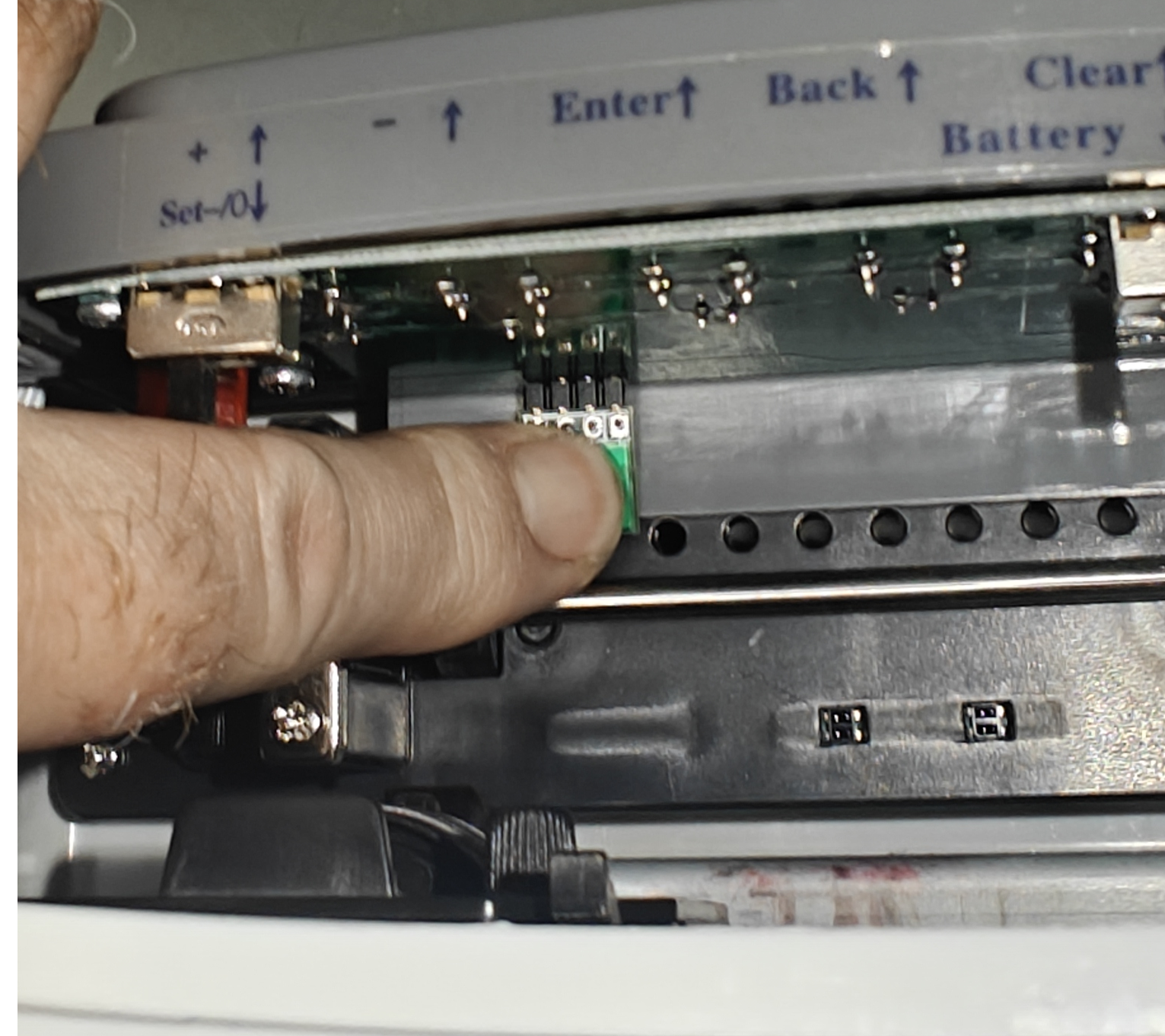
Only a small movement may be needed. Use steady pressure without excessive force.
4. Replace the lid and test
Refit the lid and lock it with the key. Insert a clock card to check that the machine now pulls it in normally.
If the card is still not being pulled in, please contact Clocking Systems support for further assistance.
Was this article helpful?
That’s Great!
Thank you for your feedback
Sorry! We couldn't be helpful
Thank you for your feedback
Feedback sent
We appreciate your effort and will try to fix the article