Setting the Date & Time on a CS30 Clocking In Machine
Created by Dave McMaster, Modified on Mon, 2 Mar at 3:13 PM by Dave McMaster
The time on your CS30 is accurate to about plus or minus 15 seconds per month. So it will need to be adjusted every so often. Just follow these instructions:
1, Remove the lid with the key.
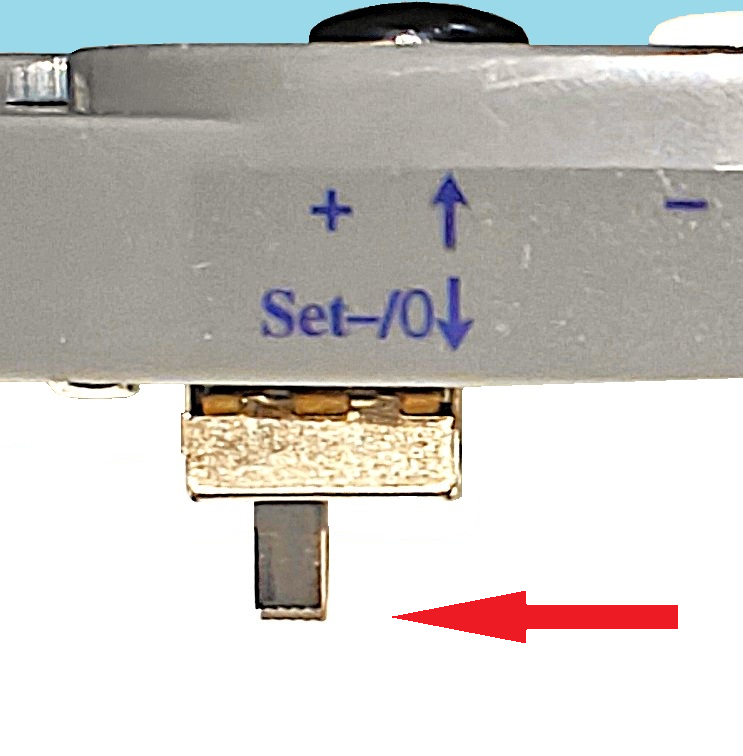
2, Slide the set switch located under the button panel (shown below) from left to right. 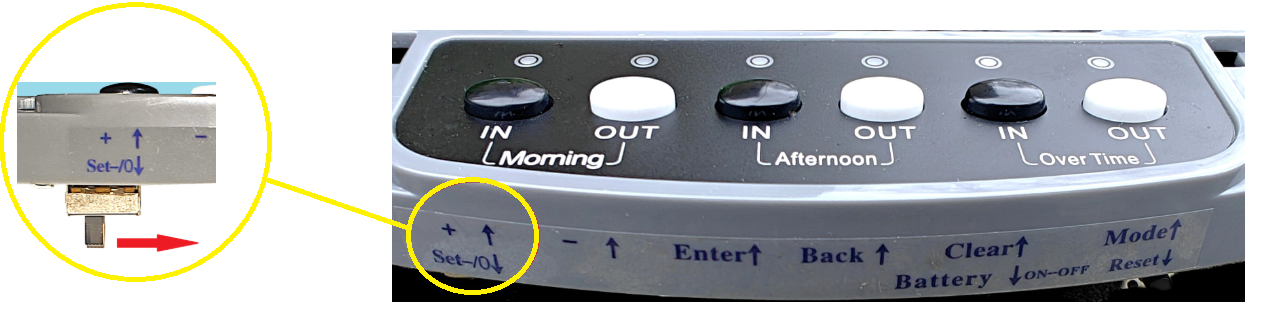
3, The display should show the current year with a small 00 displayed on the left.
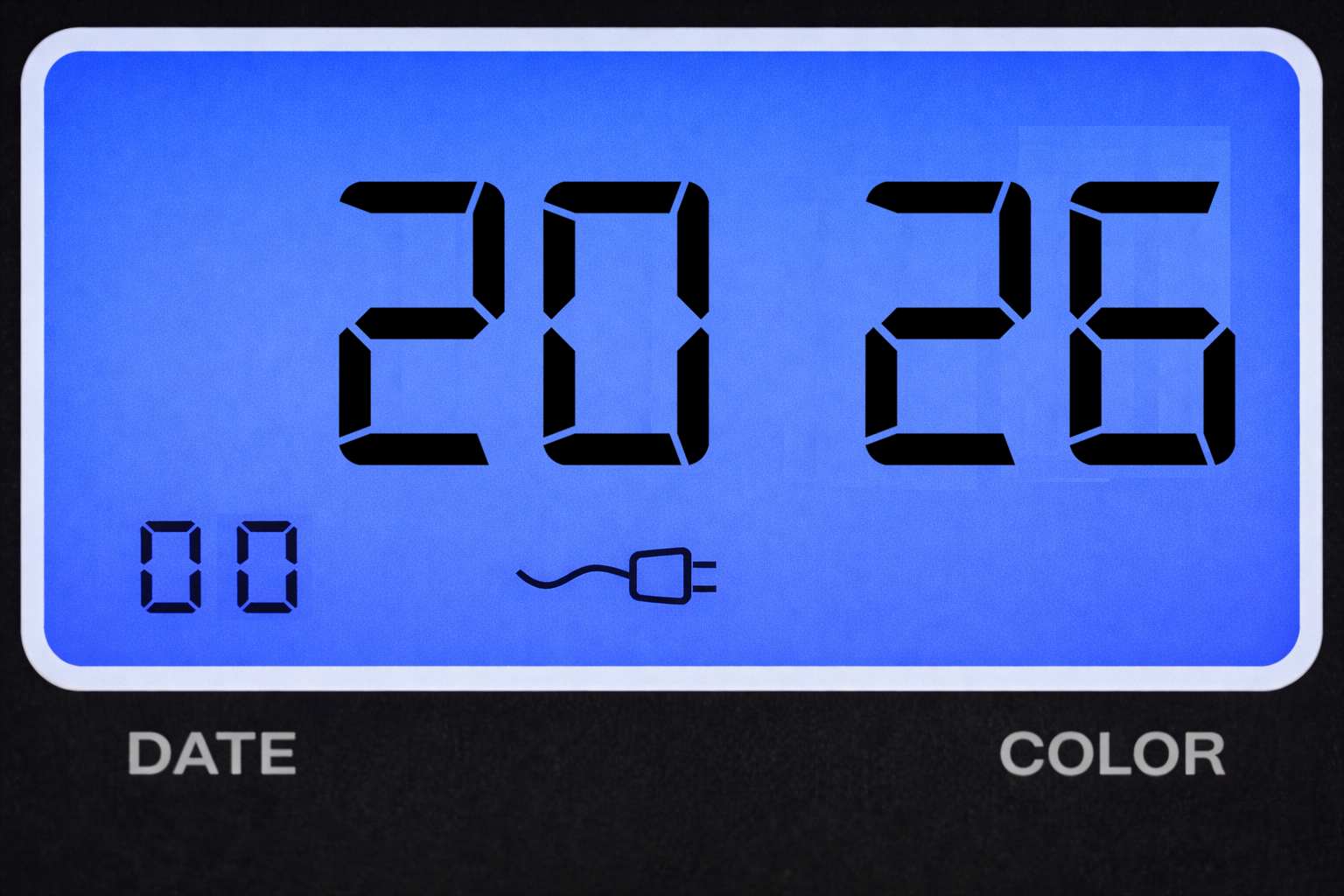
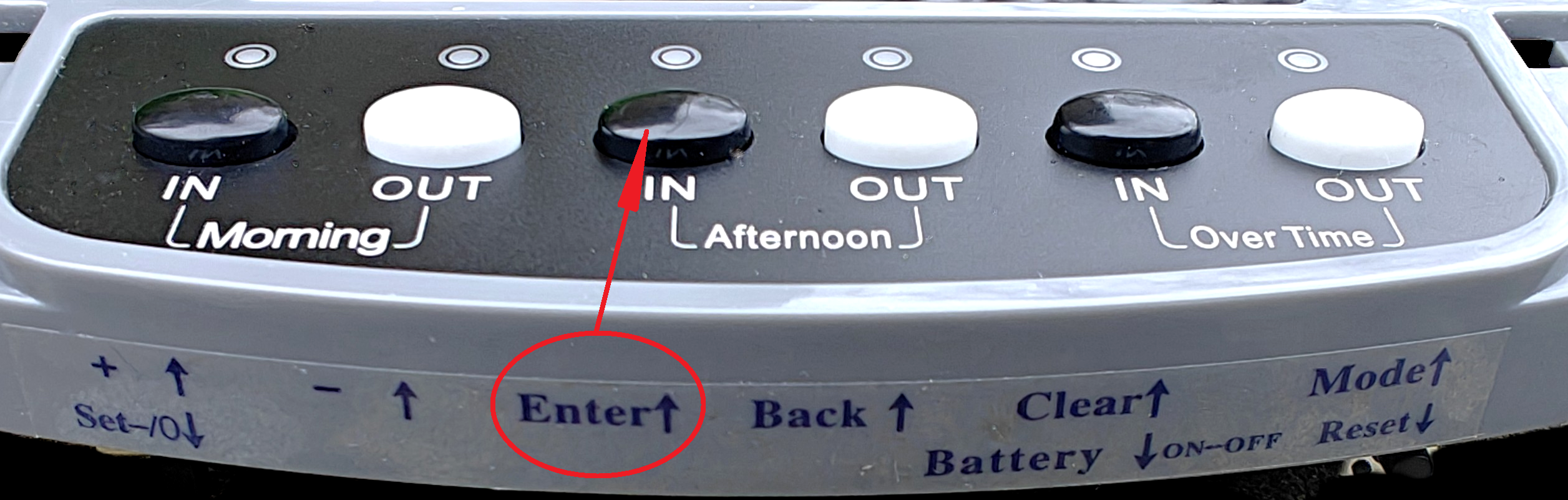
4, Looking at the button panel you will see a secondary function for each of the buttons. If the year is correct then press the Enter (Afternoon IN) button, otherwise use the + (Morning IN) or - (Morning OUT) buttons to adjust before pressing the Enter button.
5, The number on the left will move to 01 and begin to flash. This relates to the program number. The main display will show the date in the format - month then date.
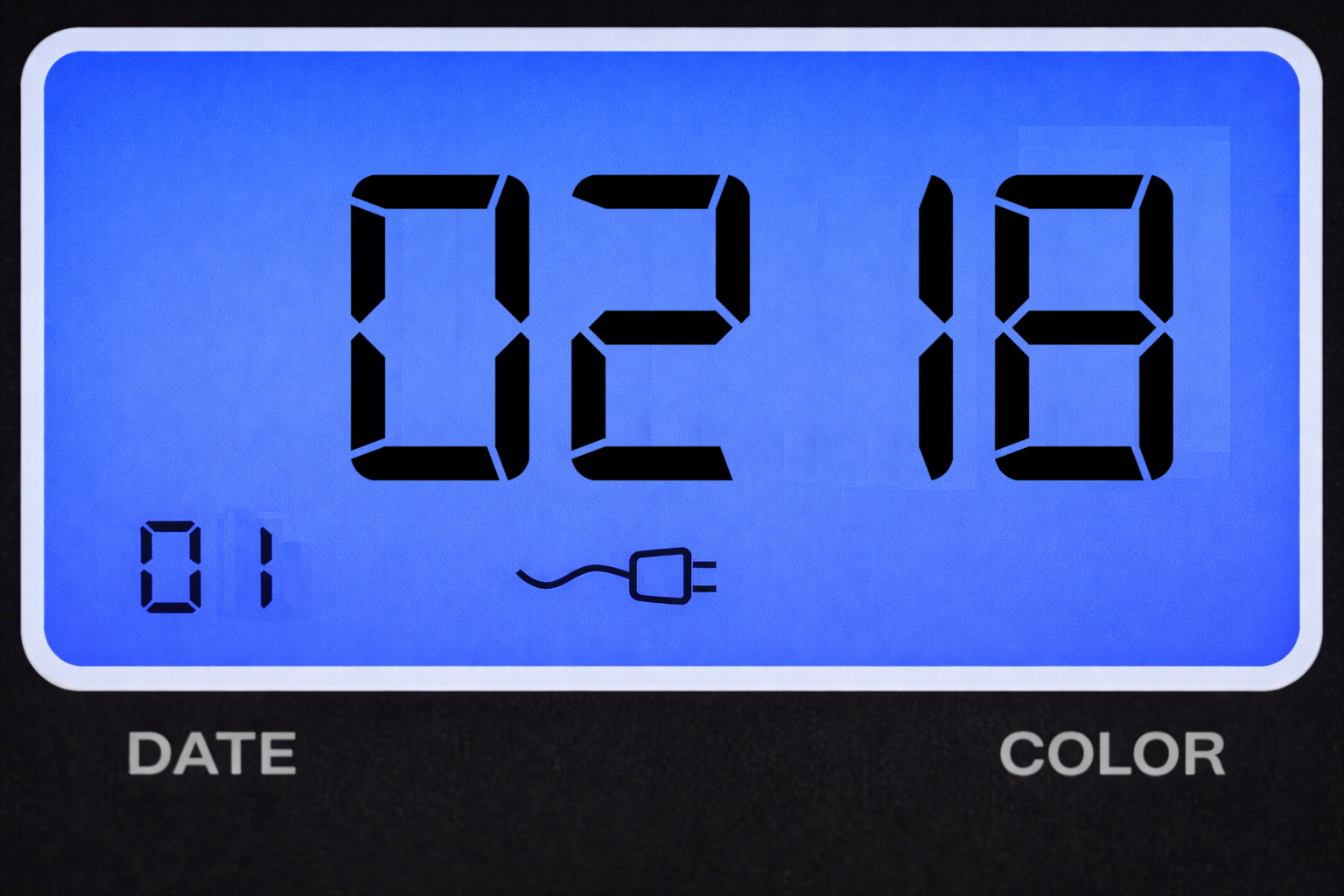
6, Press the Enter (Afternoon IN) button to select the month. If you need to adjust use the + or - buttons.
7, When correct press the Enter button and the date will flash. Again adjust as necessary.
8, Press Enter to move onto programme 02.
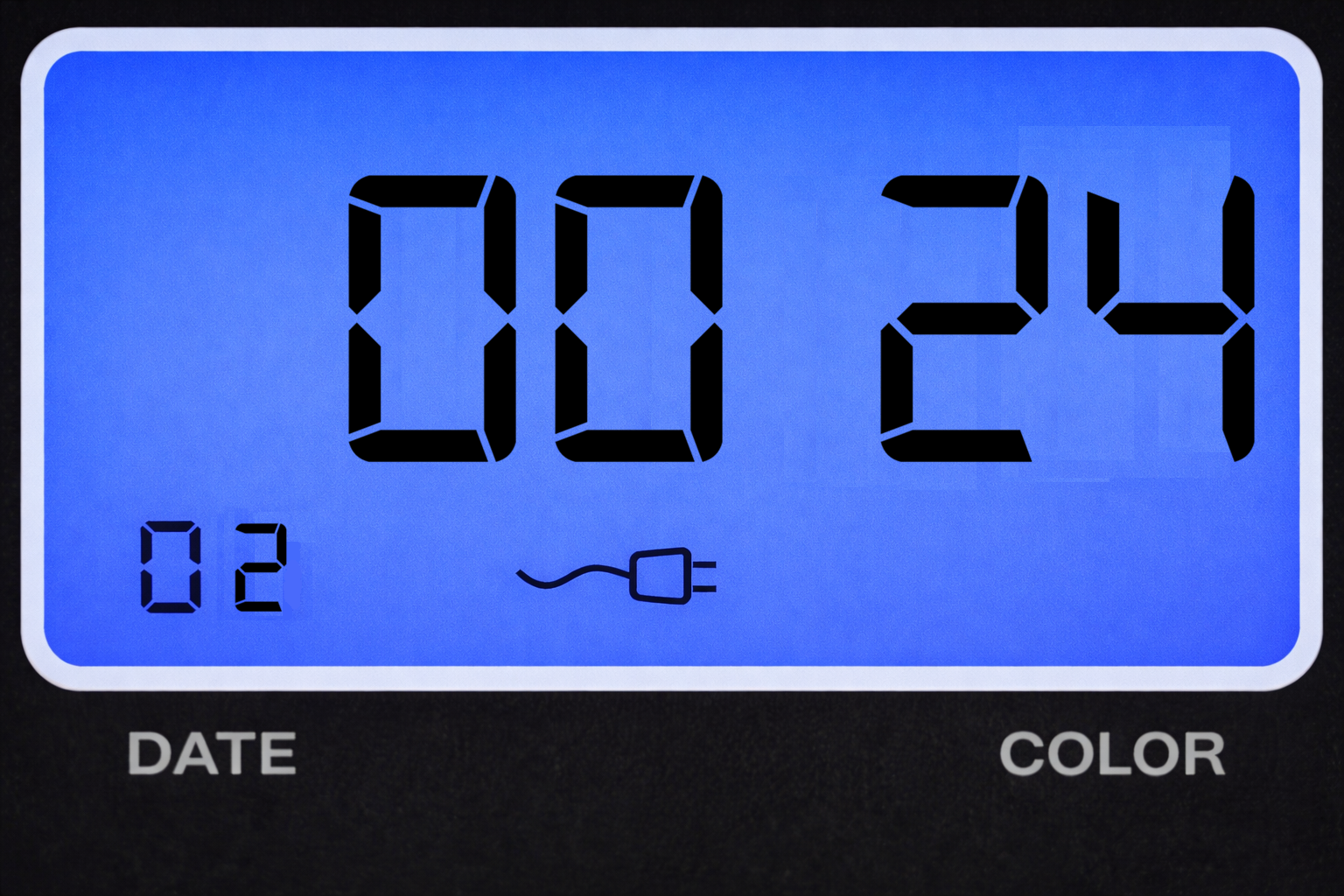
9, The display will show 12 (AM/PM) or 24 (24 hour clock). Press Enter and adjust as necessary.
10, Press Enter again to move onto Programme 03.
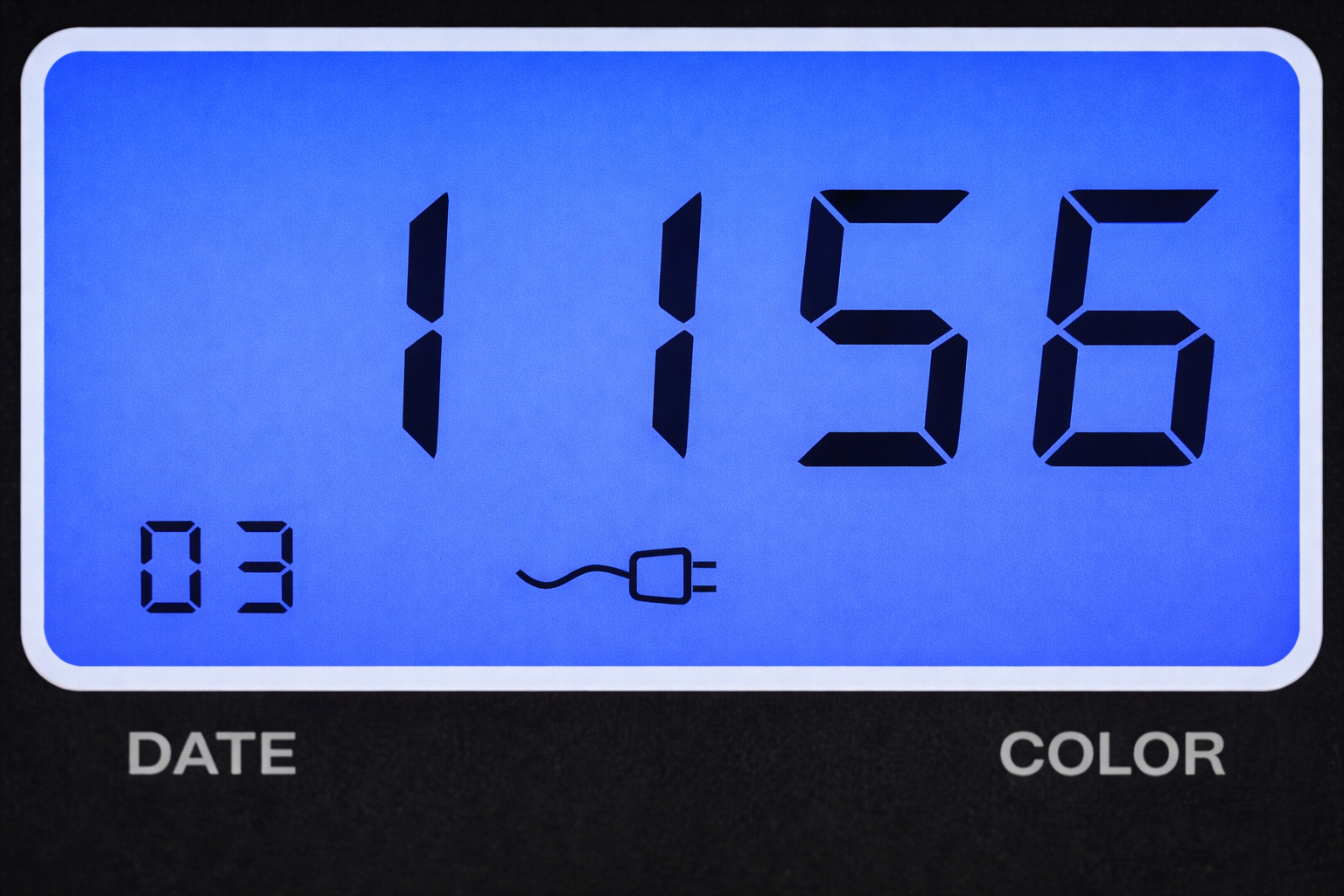
11, The current time will be displayed. Press Enter to select the hour and adjust as necessary.
12, Press Enter to select the minute and again adjust as necessary.
13, Press Enter to move onto the next programme.
14, Slide the Set switch back to the left.
9, Replace the lid and lock.
10, The correct Date and time should be displayed.
Was this article helpful?
That’s Great!
Thank you for your feedback
Sorry! We couldn't be helpful
Thank you for your feedback
Feedback sent
We appreciate your effort and will try to fix the article