How to Manage Employees within EvoTime Pro
Created by Louis Dabhi-Green, Modified on Wed, 11 Mar at 4:41 PM by Louis Dabhi-Green
Employee Management
The Employee List is where you add, view, and manage employees in EvoTime Pro. This guide explains the main functions available in this section.
Table of Contents
How to Add a New Employee
Step 1: Open the Employee List
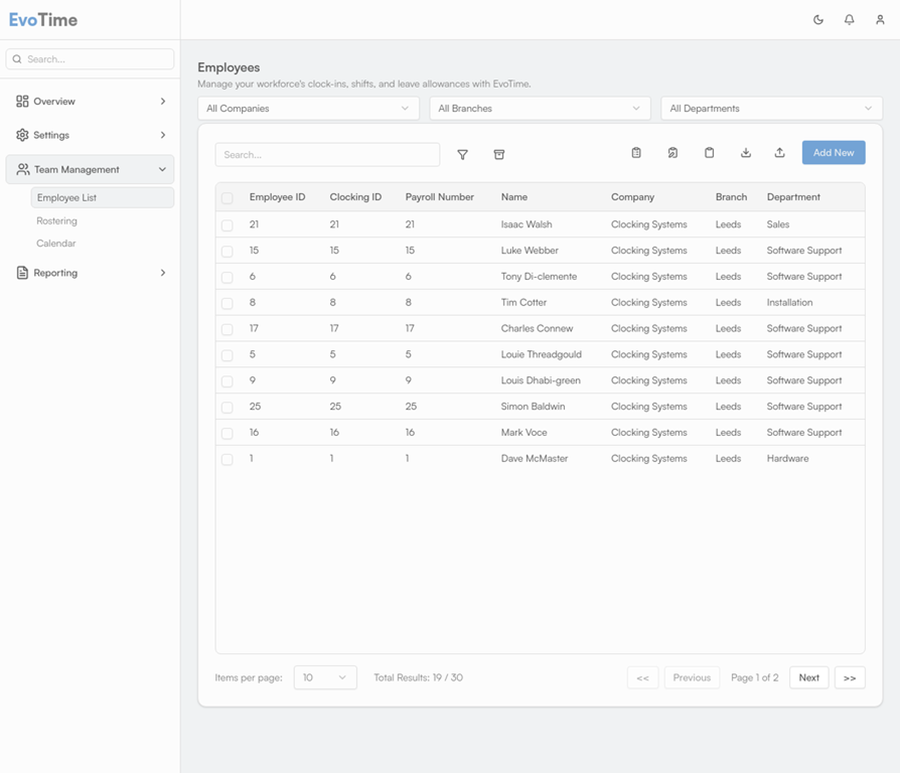
From the main navigation menu, select Team Management, then click Employee List.
Step 2: Open the Add New Form
Click Add New to open the employee creation form.
Step 3: Enter Employee Details
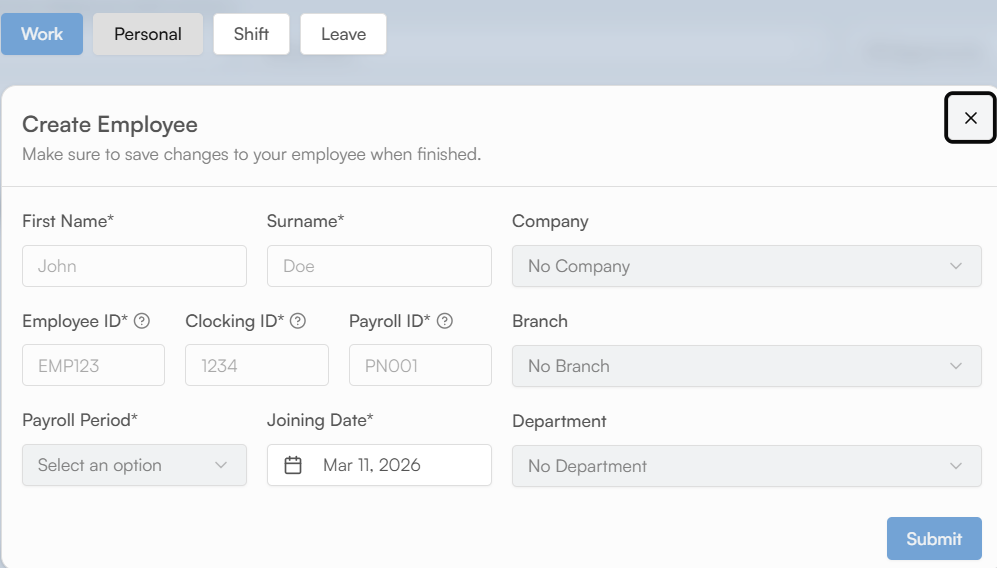
The form is divided into tabs. Complete the required information in each section.
Work
Enter the employee’s First Name, Surname, Classifications (Company, Branch, Department), Employee ID, Clocking ID, Payroll ID, Payroll Period, and Joining Date.
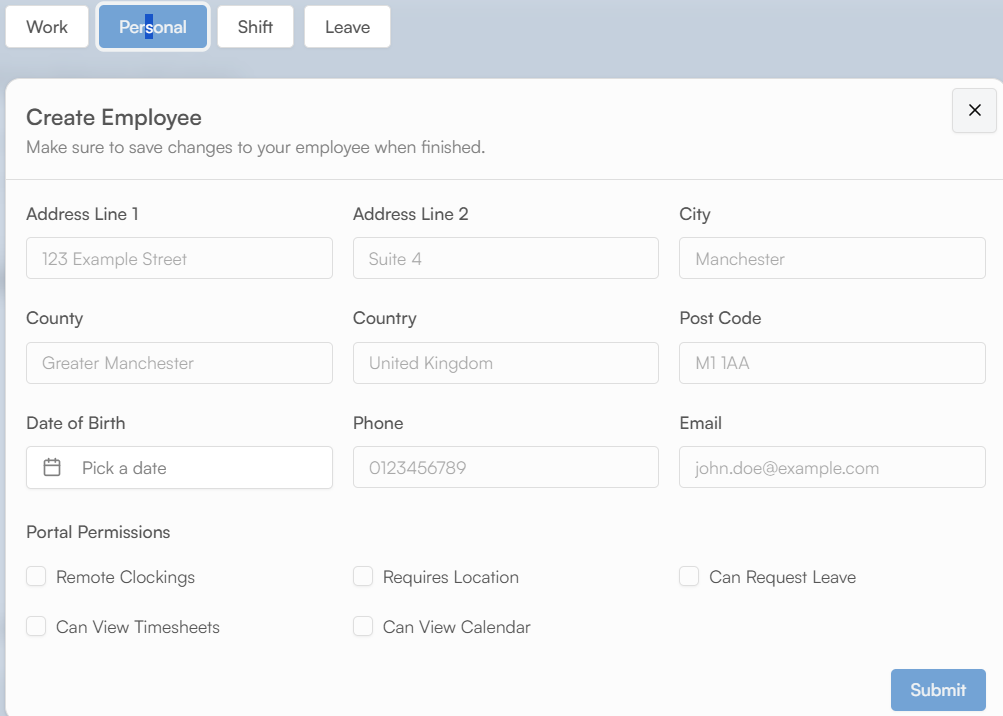
Personal
Enter the employee’s personal contact details.
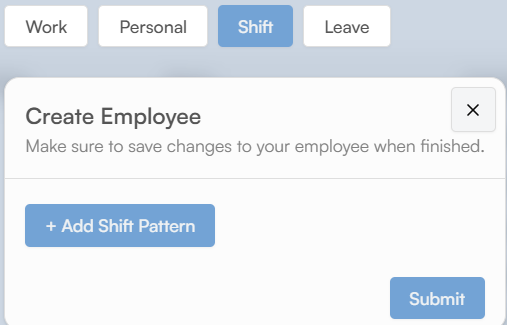
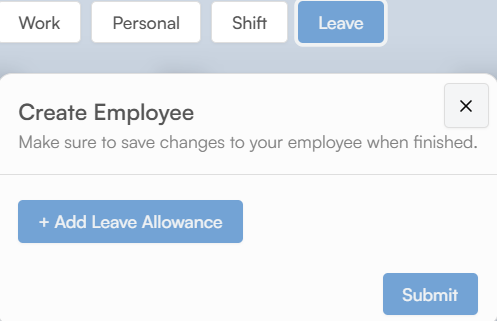
Shift & Leave
Assign a default shift pattern and manage leave entitlements.
Step 4: Save
Click Submit to create the employee profile.
How to Edit an Existing Employee
Step 1: Locate the Employee
Use the search and filter options in the Employee List to find the employee.
Step 2: Open the Profile
Click the pencil icon on the right-hand side of the employee’s row to open their profile.
Step 3: Update and Save
Make the necessary changes across the relevant tabs, then click Submit to apply the updates.
How to Archive an Employee
When an employee leaves the organisation, their profile should be deactivated.
Step 1: Select the Employee
In the Employee List, tick the checkbox next to the employee’s name.
Step 2: Delete
The Add New button will change to Delete. Click Delete.

Step 3: Access the Archive
The employee will be moved to the archive, and their historical data will be retained for reporting. Archived employees can be viewed using the filter options on the Employee List page as shown below.

Was this article helpful?
That’s Great!
Thank you for your feedback
Sorry! We couldn't be helpful
Thank you for your feedback
Feedback sent
We appreciate your effort and will try to fix the article