Break down of a Sage payroll report and how to use them
Created by Kai Winterbottom, Modified on Fri, 25 Sep at 10:09 AM by Kai Winterbottom
Generating a Sage Payroll Report
- Go to Reporting.
- Click Add New.
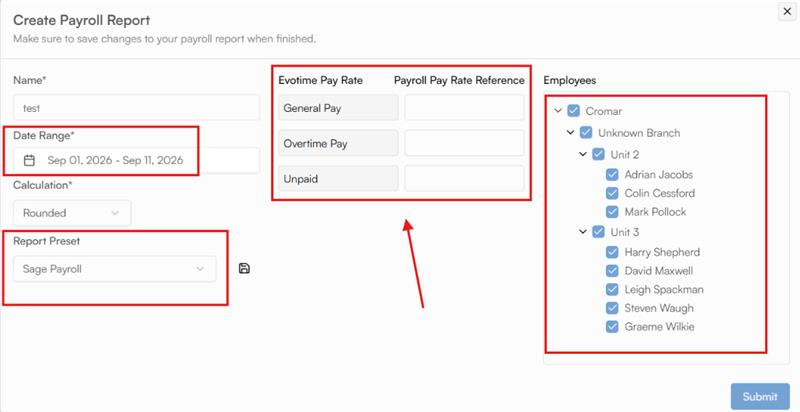
- Create a Sage Payroll preset, then choose your dates and the pay elements from Sage for the different pay rates.
- Choose the employees you want including on the report, right hand side.
- Click Submit — this generates a report formatted for direct import into Sage.
- Wait one to two minutes, then refresh the page. The Sage Payroll report will appear.
- Download the report, then upload it to Sage.
Example-
Was this article helpful?
That’s Great!
Thank you for your feedback
Sorry! We couldn't be helpful
Thank you for your feedback
Feedback sent
We appreciate your effort and will try to fix the article